Ava — Ethan’s Virtual PA (Store Manager Assistant)
Filters the noise. Flags the important. Never misses a call.
Store managers get pulled in 10 directions — customers, reps, staff, deliveries, and fires to put out. Ava acts like a real Personal Assistant for Ethan, handling routine questions instantly, collecting details when something does need Ethan, and sending a clean summary to the right place.
⚙️ Behind the Calls: How Ava Filters & Escalates
- Answers everyday questions (hours, location, loyalty, events)
- Captures caller name + number + reason (one question at a time)
- Escalates only when it matters (bulk orders, issues, urgent requests)
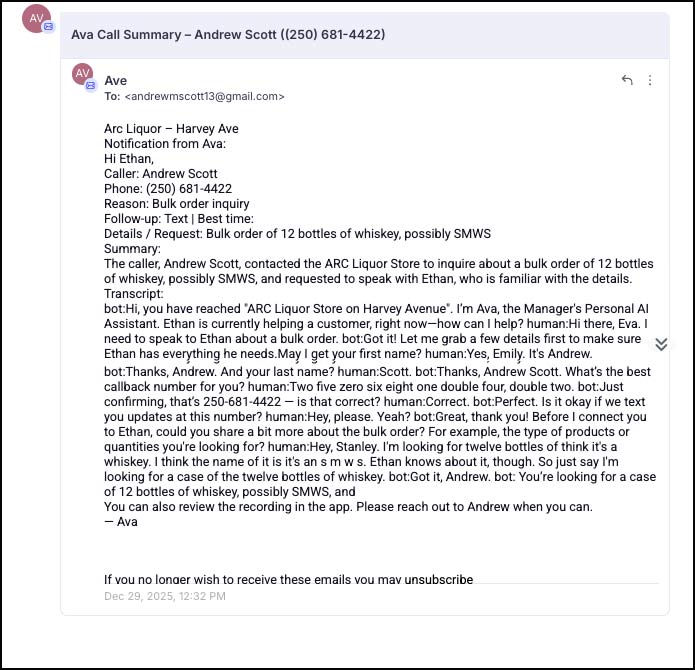
- Sends Ethan a clear recap by SMS + email, with transcript + summary
What Customers Get
Ava gives callers quick, accurate info — and if they need a manager, she gathers the key details first so nobody has to repeat themselves later.
- Instant answers for common questions
- Better handoffs when Ethan is needed
- Clear follow-up options (text or call)
- A smoother, more “looked after” experience
What ARC Gets (and Why It Matters)
This is “Missed Call Call Back” — upgraded. Instead of a generic missed call text, ARC receives a filtered, structured message that explains what the caller wanted and whether it needs the Store Manager.
- Fewer interruptions for mundane questions
- No lost opportunities (bulk orders, VIP buyers, reps)
- Every call produces a summary + transcript + recording
- Scales cleanly to all 5 stores
What Happens Behind The Scenes
1) Smart Call Sorting
Ava classifies calls as escalation, complaint, or general inquiry.
2) Details Collected
Caller name, phone, reason, key details, preference, and best time when relevant.
3) Notifications + Logging
Escalations trigger SMS + email, and everything is logged inside the contact record.
Real Call Examples
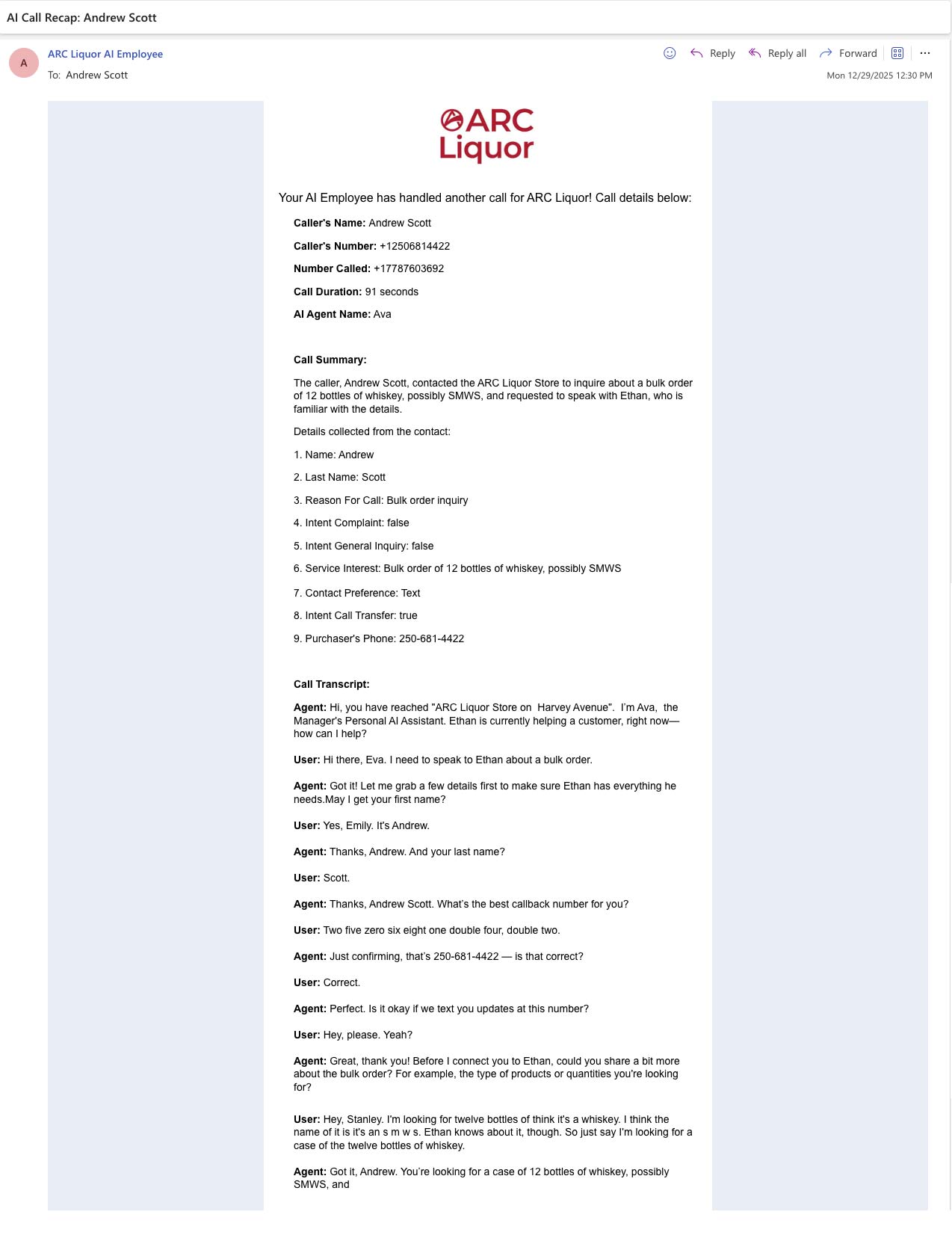
Use Case 1: Bulk Order / Manager Request (Escalation)
Ava captures details and sends Ethan a ready-to-act summary via SMS + email.
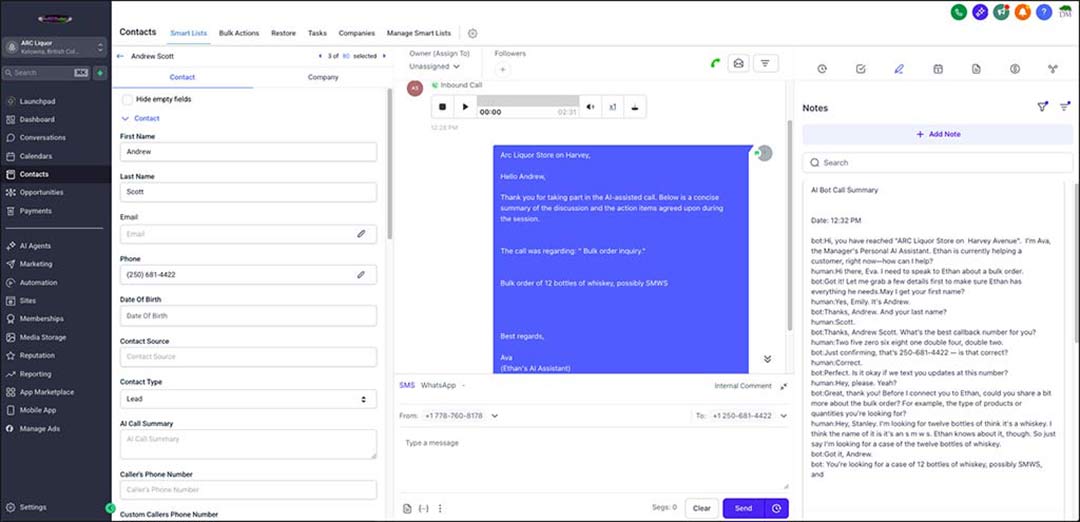
📲 SMS + Email Recaps (So Ethan Never Misses the Important Stuff)
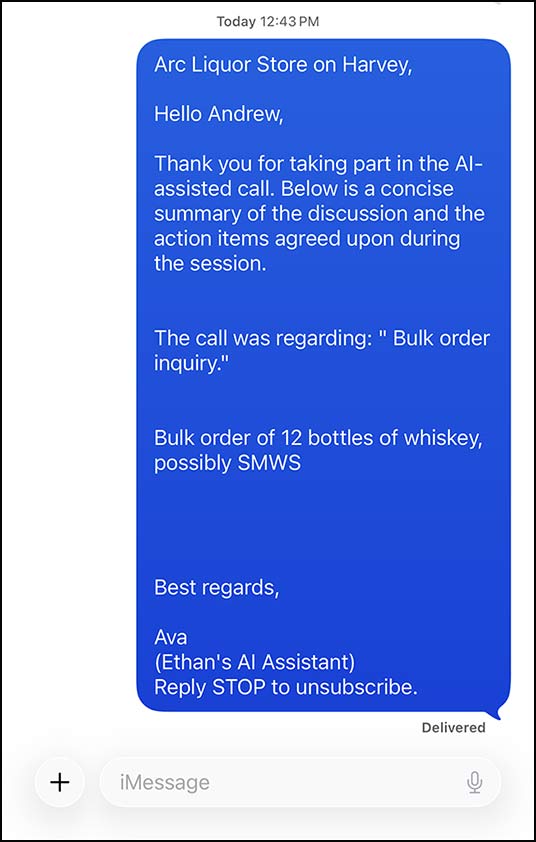
Transcript + Audio Recording
Press play to listen
Use Case 2: Opening Hours + Location (No Escalation)
Ava answers immediately and does not interrupt Ethan for a routine question.
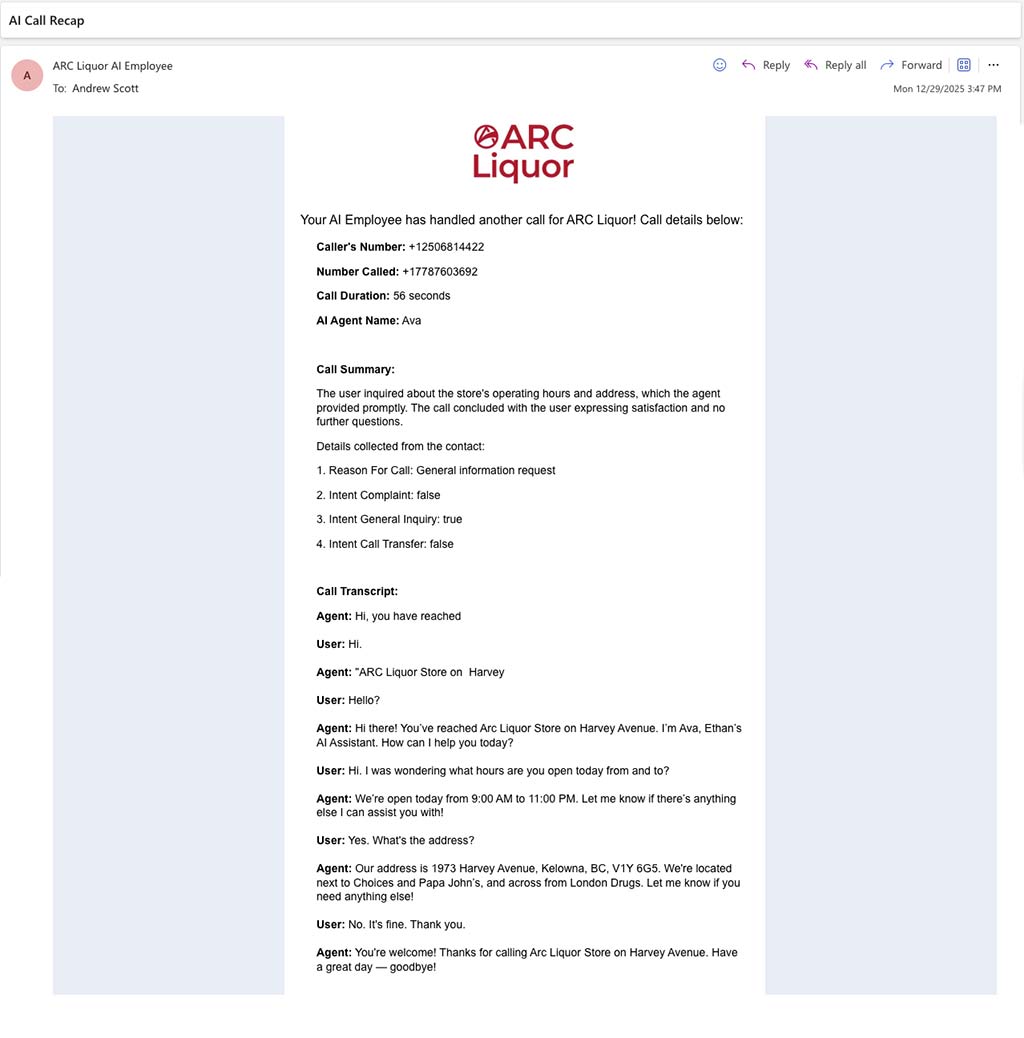
Transcript
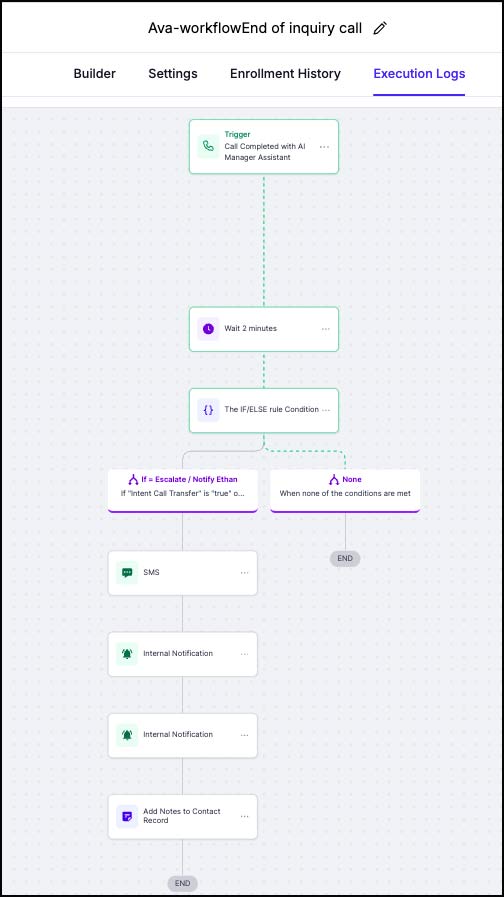
+ Workflow automation
Built to Scale Across All 5 Stores
This isn’t a one-off. It’s a repeatable system: consistent customer experience, fewer missed calls, fewer interruptions, and better follow-up across every location.
🔒 No Personal Phone Required (Manager-Friendly by Design)
In the demo, Ethan agreed to trial the setup using his personal cell for training purposes. The “ringing phone” you hear during the transfer was simply my second device used to simulate a real hand-off.
In the real rollout, store managers are not expected to use personal phones — and the caller will never see a manager’s personal number. Instead, Ava can be configured to transfer escalations to the store’s landline during preset working hours (for example, 8:30am–5:00pm, Monday–Friday).
- Working-hours only: If a call truly needs a manager, the virtual PA transfers it to the store landline and passes the context along.
- After-hours fallback: Outside the schedule, the virtual PA follows your chosen rule (voicemail, alternate routing, etc.) and still captures the details.
- Work email + app notifications: clean transcript + summary can be sent to a work email, and the call recording remains available inside the app/desktop for review anytime.
Bottom line: the store gets fast customer service, the manager only gets involved when it matters, and nobody has to use a personal phone.